Quick Fix: Delegate an Office 365 Partner Administrator Account
October 9, 2015 Leave a comment
 This is something that no amount of searching for could give me the answer to. I had to blindly stumble through the portal, and i understand this is probably obvious to those more familiar with the partner side of Office 365.
So, the problem i had was we had signed up to Office 365 as a partner, we were adding clients and had all the delegated administration setup perfectly. Except that the only account that could access the Partner Tab, was our initial Office 365 Administrator account.
Every search i tried just sent me to forums or links for people who could not get their partner account setup, or, needed help with delegated administration. I needed to add another user who had permissions to manage clients!
The fix, of course is simple. Find the user you want to give the permission to. Click on Edit.
Look for ‘Settings’ then you should see the ‘Assign administrative access to companies you support’
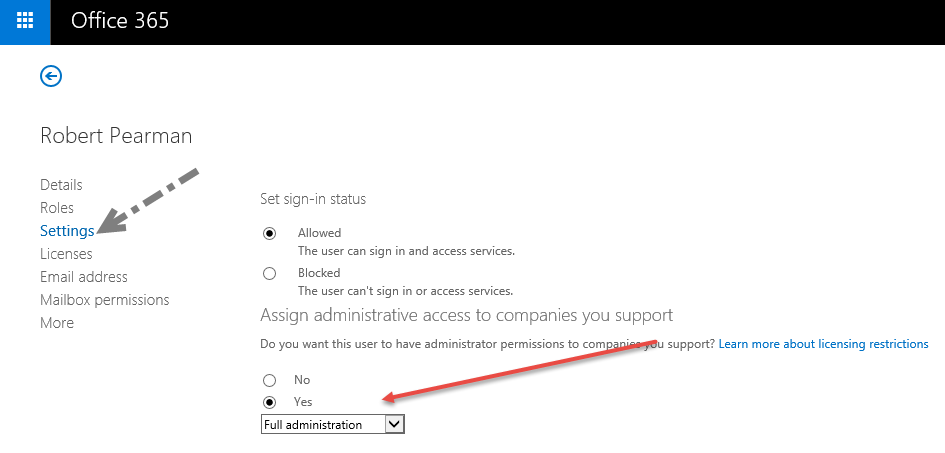
Easy.
 About Robert Pearman


 Title (Required)