Windows Server 2012–Failed Backup Disk

WindowsVistaBackupIconThis is a quick post just based on something i have done this morning for a charity i do some volunteer support for. This year i installed a new server for them running Windows Server 2012, and two Hyper-V guests as a Domain Controller and Exchange server. Due to budget restraints they only had a single USB drive available for backups, and of course, recently that failed.
Read more of this post

Windows Server 2012 R2 Essentials –You do not have permission to open the dashboard.

A question came up in the Essentials Forum recently which prompted me to build quite a large lab, and not even manage to repro the issue. The issue affects both the Essentials Role and the SKU., but it does not appear to affect R1.

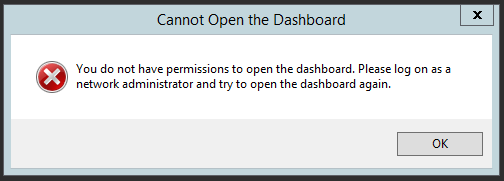
The symptoms were, that a user of the Domain Admins was unable to open the Dashboard, being greeted instead with this error..

You do not have permission to open the dashboard

Read more of this post

Unknown Device–Find a driver?

DriverHave you ever needed to find a driver for something, when you have not actually known what the device is?

It sounds silly i know, but if you ever reinstall a PC you may end up with a tonne of ‘unknown’ devices in Device Manager and having exhausted the available drivers on the manufacturers website, may be scratching your head as to what the device even is, let alone what driver to try. Read more of this post

Quick Fix: x64 printing on an x86 (32bit) PC NTPrint.inf

Just a very quick post, i was installing a new x64 Windows 7 machine today, and needed to install a shared printer from an x86 Windows 7 pc. I could only download a generic x64 bit driver for the printer which we will get to in a moment, but first let’s remember that we need to install the x64 driver, on the 32bit pc first.

I am going to use x86 or 32bit interchangeably, so try to keep up!

I found the relevant driver from the manufacturer website, and downloaded it. When adding that as an additional driver, through Devices and Printers (print server properties), it was asking me to locate ‘ntprint.inf’ from the Windows x64 media. Read more of this post

Essentials 2012 R2 – The Role & Licensing

explodinghead2In conversation with some Microsoft folks recently we found out about some, what ill call, small print, in the EULA of Essentials and Essentials R2.

If you had previously purchased Server 2012 Standard, and exercised down grade rights to install a copy of Essentials, you may be surprised to learn that ‘to the letter of the law’ you would therefore be required to purchase Server CALs and more expensively RDS CALs if you intended to use the RWA feature to remote access client computers.

Read more of this post

Unravelling the mystery of Client DNS with Essentials family Servers

Logo1Probably the best title for a blog post ever right? Having seen and read about a lot of people struggling with DNS resolution problems with their clients on Essentials (2011/2012) networks, and also some dubious advice being given out  for how to ‘resolve’ these problems i thought i would try and get into some deep level explanation of how, and why Essentials does what it does.

Read more of this post

HP MicroServer Gen8

HP MicroServer Gen8What can i say about the HP MicroServer, if you haven’t heard of it then I’m not entirely sure what you have been doing since HP released their first version way back in 2010. Championed by most of the SMB IT Community (I’m yet to meet someone who doesn’t like it) it offered a fantastic set of features for a very, very competitive price and because of that was the ideal box for a whole host of scenarios.

From providing Client Backup Services to the computers in an office,  to being put in a cupboard underneath my TV the MicroServer has proved to be very versatile. Mine has an HDMI Video Card in it, and we use it as a media PC to watch netflix etc on. I know Tim Barrett has so many MicroServers in his house, he has actually built a new room out of them. Read more of this post