March 20, 2012
by Robert Pearman
 A question in the forum came up about how to change the password policy, it seemed that the Dashboard option was greyed out.
As i mentioned in my post about Office 365, in order to allow Password Sync between Essentials and Of365, passwords for users needed to be updated to meet the requirements of the Office 365 service.
This has the unhappy side effect of also blocking you from lowering the requirements if you wish to do so in your environment when you are not using Office 365.
So what do we need to do? Well the answer is simple, remove the Office 365 module.
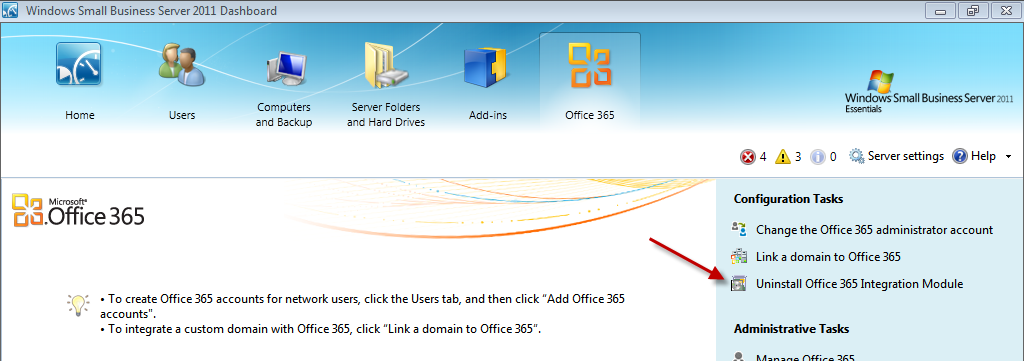
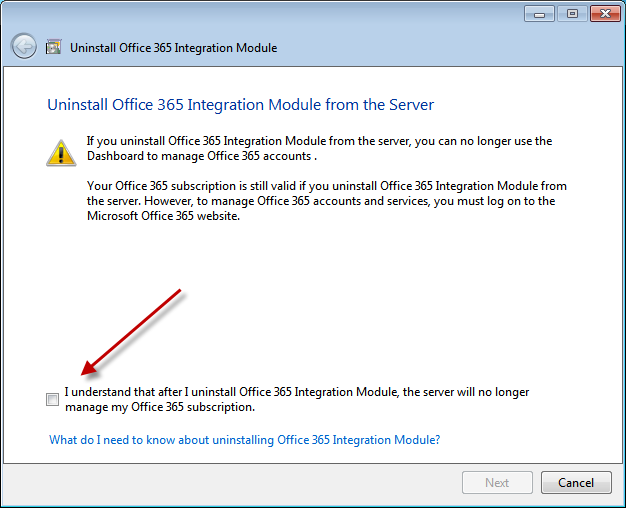
Firstly open the Dashboard and go to the Office 365 addin tab. You should see an option on the right hand side to Uninstall.
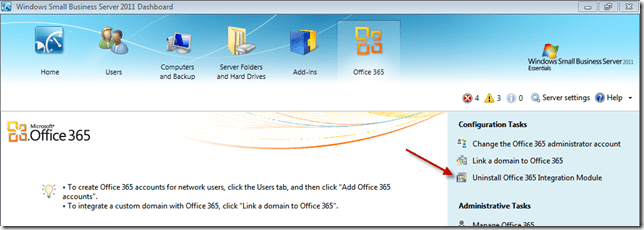
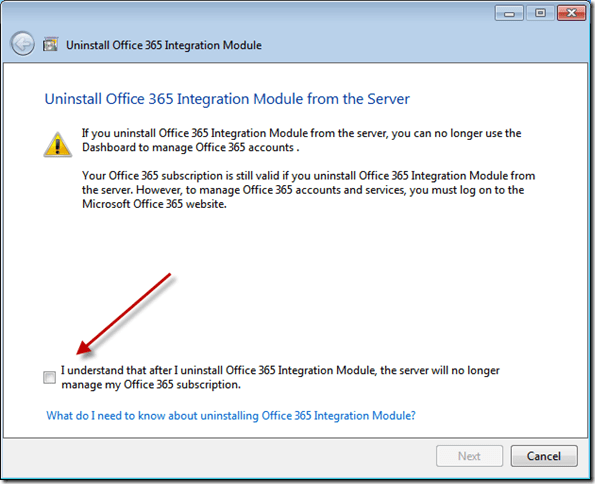
Follow this little wizard through and complete the process.


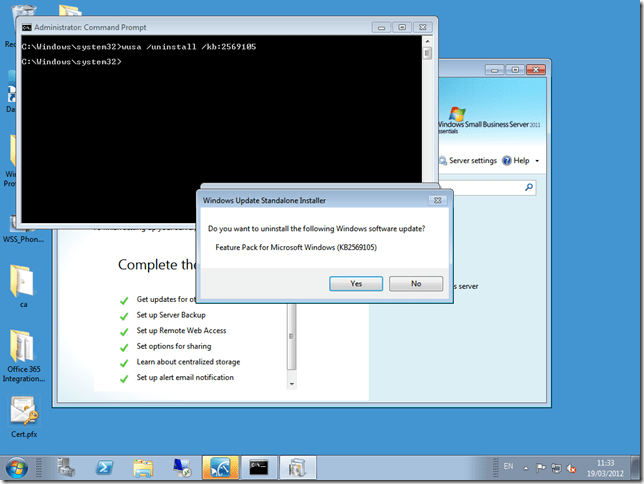
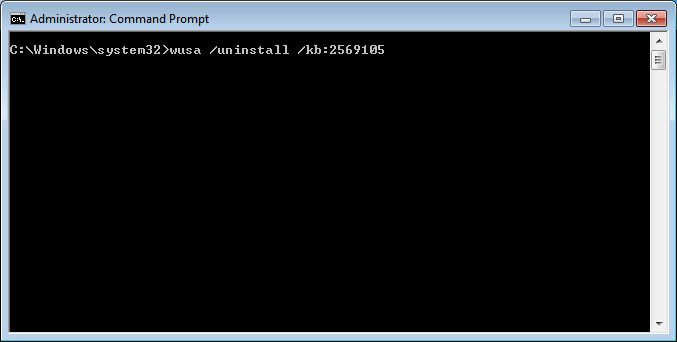
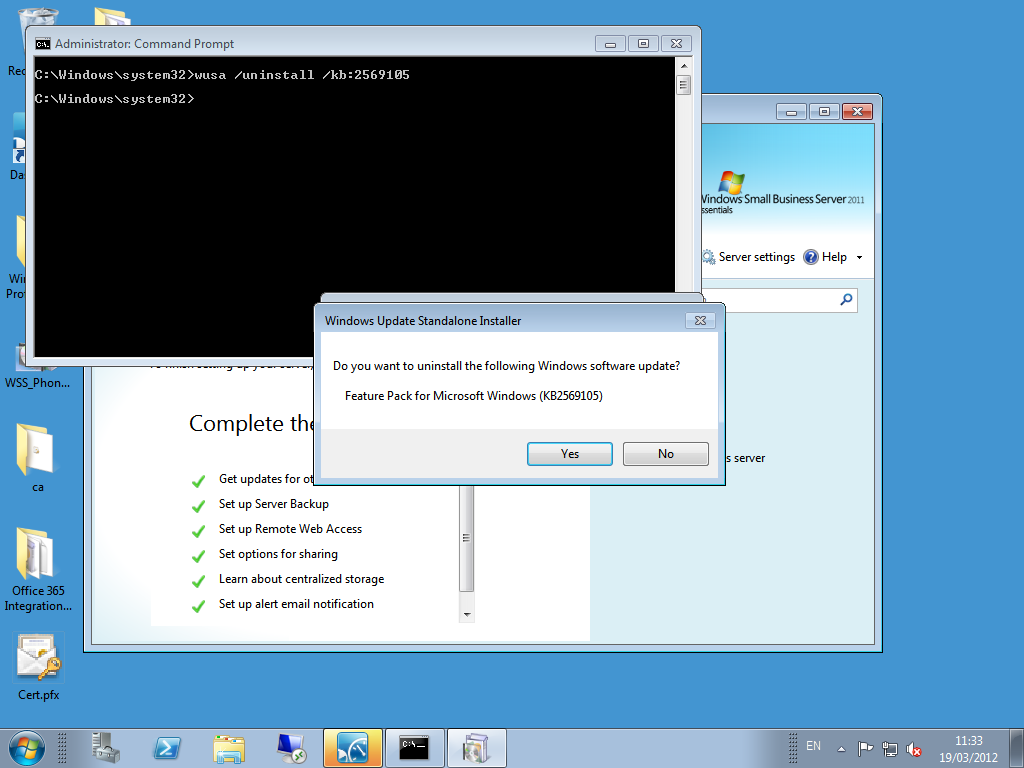
Next, move to an elevated command prompt, and enter the following. WUSA /UNINSTALL /KB:2569105

You will be asked if you really want to uninstall, and in this case you do.
You should then be prompted to reboot your server.
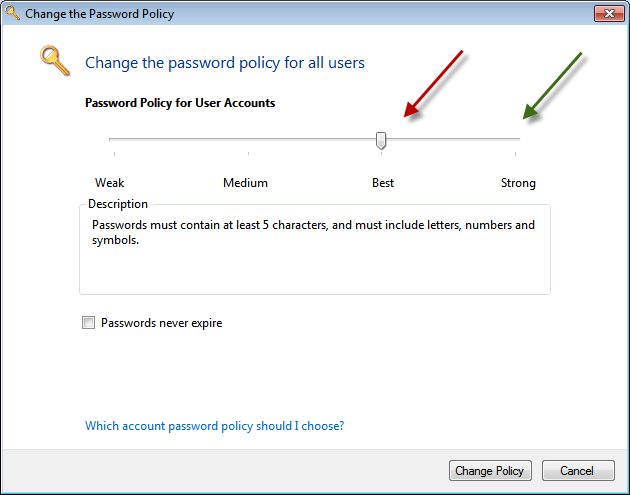
After a reboot you can then open the Dashboard, go to the Users tab, and click Set the Password Policy, and you should find your slide bar is now working.

The question in the forum related to changing the expiry age from 180 days (the Default) to a different value.
This cannot be done through the Dashboard, even with the Of365 module uninstalled.
You can do this using PowerShell (other ways as well, but i like PowerShell) You can launch the ‘Import System Modules’ shortcut from the QuickLaunch PowerShell icon.

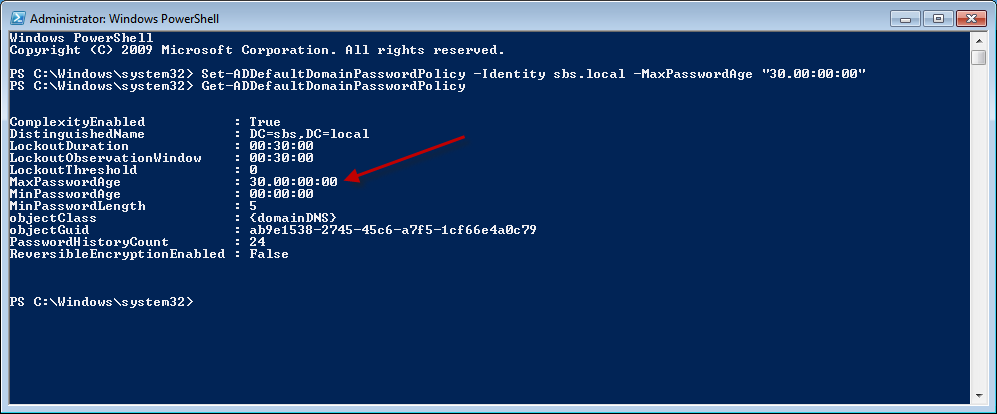
Then run this command to set the expiry to 30 days.
Set-ADDefaultDomainPasswordPolicy –identity sbs.local –MaxPasswordAge “30.00:00:00”
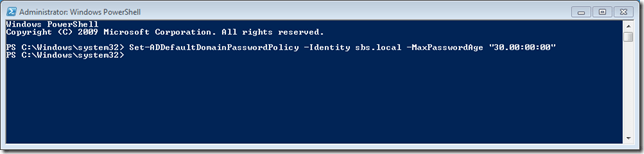
Then run this command to confirm your setting.
Get-ADDefaultDomainPasswordPolicy

If you then go and use the Dashboard to set a different selection for the Password Policy, then it will change the Max Password Age back to it’s default value of 180 days.
 Another question from the forum prompted this post. The question related to disabling offline files for Desktop computers that never left the office after deploying the Win 7 Pro Pack. Read more of this post







 Title (Required)