Quick Fix: Access Denied to Romaing Profile – Windows 7

Just adding a new PC to an existing domain, the administrator logs on fine, but the user of the pc – keeps getting a temporary profile.

Why?

Checking the event logs you can see an access denied error when attempting to access the profile. Weird, because if you browse the existing roaming profile you can access it fine from the temporary one.

Reason?

In this instance the user needed permission in the \\server\profiles folder to create a new folder.

Windows 7, will add a %username%.V2 folder when logging on for the first time and if it cannot create that folder you will see the access denied error.

Hope it saves you some time..

Quick Fix: Enable Hyper-V on HP ML 310 G5..

OK so i wanted to virtualise two systems in our office on an HP ML310 G5.

I installed Windows 2008 Enterprise R2, enabled the hyper-v role, did a P2V transfer of the first system (XP SP3) got everything ready, when i tried to start the machine i was hit with a message about the Hypervisor not running.

I did a quick google search and found a post that told me to go into the BIOS and make sure the Intel Virtulisation technolgoy was enabled, i rebooted and entered the BIOS,

Advanced Settings > Processor Options > Intel V…

Changed to enabled, and rebooted.

No Change.

At this point i was working remotley through ILO, when i discovered you needed a cold boot of the system (full power off, power removed!)

So i had to wait until this morning to do that.

I removed the power, booted up, but no, HyperV not running.

Getting more than a little frustrated i removed and reinstalled the Hyper-V role, adding extra reboots in just make sure… No change.

Again i hit google, i came across this post..

http://www.poxycat.com/2008/06/enabling-ms-hyperv-on-hp-dl380-g5.html

Which explains to enable another option in the BIOS, No-Excecute Memory Protection.

I rebooted and enabled this, logged back into my System and BINGO!

We have a working Hyper-V system.

I find it a little odd that my ML 310 – needed this doing, when my ML110 G6 worked out of the box, but there you go!

Hopefully this will save you some time.

Quick Fix – Dissapearing Icons – Windows 7

Customer had reported to me that their Icons had dissapeard for the second week in a row on a Monday morning…

Weird I thought.

Maintenance Microsoft thinks..

It seems if you have more than 4 ‘broken’ shortcuts on your desktop Microsoft will clean them up for you.

Microsoft defines broken as a shortcut to unavailable resource.

I can see the value of that – in theorey, but imagine this – a customer with a laptop who links directly to shared folders on their corporate LAN, all those links are broken come monday morning.

Not the best idea i have seen implemented in Windows 7.

Anyway, great article here for hints and tips on making the best of Windows 7 maintenance.

Control Windows 7 Scheduled Maintenance Behavior Through Group Policy

Update: If you do not have the Scheduled Maintenance policy in your GPMC, you may need to copy sdiagschd.admx and sdiagschd.adml from a client computer to the domain policy store, or Servers PolicyDefinitions folder.

Slowly Slowly..Catchy Monkey… Or, How to Catch a Hacker..

The small business IT consultant may overlook one or two details day to day that our enterprise level counterparts have teams of people devoted to checking day in day out…

Checking the security log of your clients servers however, should be a task you do not overlook. Ever.

We may employ the use of monitoring software to help us, for example we manage somewhere in the region of 200+ servers for our client base, and with a small team it would not be possible to keep track of, or check, every single log file every single day.

Our current monitoring software is provided by GFI, formerly HoundDog and now part of the GFI MAX offering. I mention this only to set the scene, Friday morning, a hacker check fails at a client site.. not in itself an odd occurrence (hacker check will poll for X amount of failed logons in a given time) today was different.

Some 30,000 failed logons. Hmm I think i better check that out.

As it happens this occurred on a clients Exchange server, which led me astray for a while.

It is quite common to see multiple failed logon attempts on an SMTP server that is public facing (you may see botnets attempt to authenticate to send their spam when a server is not an open relay), most of the time these can be safely ignored, but i do take action for repeated attempts – 30,000 counts as repeated ;o)

So this client has their email delivered directly to the server by smtp, not filtered before arriving at the server, as some do. These services are becoming more popular, like Mail Labs, or Trend Micro’s IMHS which can help to secure a server because you can close your firewall and accept mail connections (smtp, tcp port 25) from only your partners servers.

Not using these services can make things more tricky when facing this type of problem because you can only act after the fact, and potentially that could be too late.

So as i say i receive an email alert about 30,000 failed logon attempts, my immediate thoughts are – SMTP relay attempts. I logon to the server and check the security log, and sure enough it is full of failures. All with predictable enough usernames, Admin, Administrator, Adrian, clearly the start of a long script of potential names.

Immediately i set about trying to ascertain if that attack is still in progress.

Switching to a CMD prompt, i run a NETSTAT –F command, the –F will show me the full FQDN of connected machines, rather than a shortened version. I look for current SMTP connections, and don’t see any that look suspicious, but the log is still filling up.

Let’s try and slow them down at least..

Next i think about Exchange 2007 and it’s ability to help protect from this type of attack. I wonder if Tarpitting is enabled.

Switch to the Exchange shell and i run,

Get-ReceiveConnector |Select name, tarpitinterval

This command will list all of our receive connectors, show the name and their tarpit interval.

The default on Exchange 2007 is that all connectors are set at 5 seconds, more on that here this was obviously not high enough so i wanted to increase it (looking back this could have led me to the actual solution a little quicker but i was a bit blinkered here)

So let’s ramp this up to 15 seconds i said.

Set-ReceiveConnector “Receive Connector Name” -tarpitinterval 00:00:15

Now to test. I set up an Outlook profile to try and relay some email, and hit send a bunch of times.

Hmm, my attempts are not showing up and the log is still filling up. What next?

Perhaps it is not SMTP relay after all i muse, perhaps it is an RDP or OWA attack?

On this server RDP is available by a non default port, not a best practice but something forced upon us in this case (don’t get me started on that)

I try a few quick attempts with false passwords, again, they don’t show up.

Switching to OWA, i try the same thing – no change, i don’t even see my attempts hit the log.

I switch back to my NETSTAT and rerun it.

Something in the back of my mind from the first run leaped forward – FTP!

Luckily i had dumped the output of the first NETSTAT to notepad, and i could see that yes, the same client connected by FTP was still connected.

This company require FTP services, so not wishing to disrupt them, i switched to my FTP Client and tried a few false passwords. Sure enough they showed up in the log – identical to the others.

Bingo.

Stopping the FTP site, i use tracert on the offending IP and also a WHOIS by IP.

Now i know who they are, or at least where they are and i can set about blocking their access.

Switching back to the server I open up the windows firewall properties, and add a new rule to block connections from the identified IP address. I confirm the IP from my NETSTAT window, and confirm that my rule will DENY them access.

I restart the FTP service, and attempt to connect my FTP client. It is successful, i switch back to the security log and i can see that the failures have now stopped.

How to add a new Deny entry to Windows Firewall

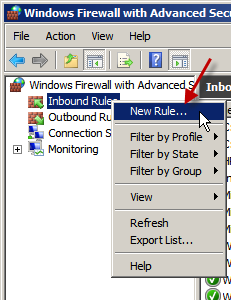
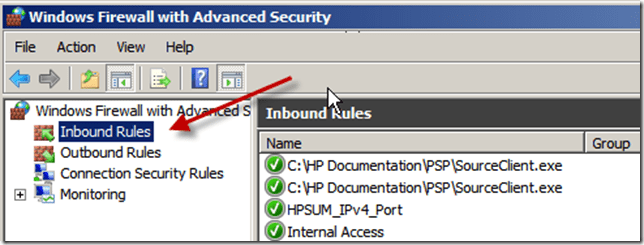
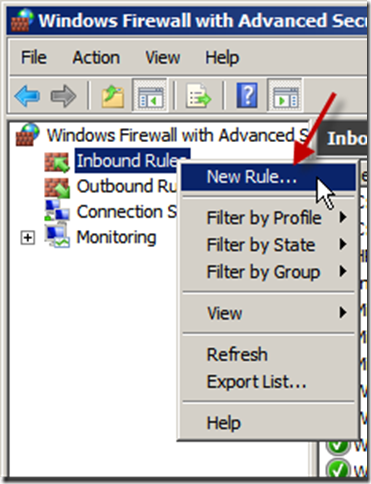
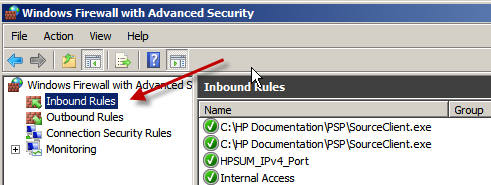
Under Windows Firewall, With Advanced Security, Right click on Inbound Rules, click New Rule.
23-01-2011 20-01-39

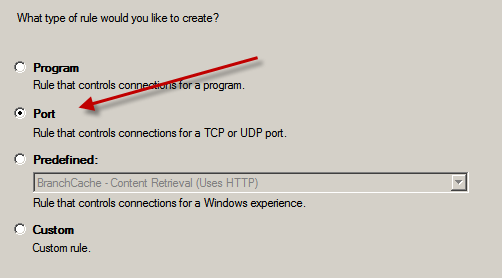
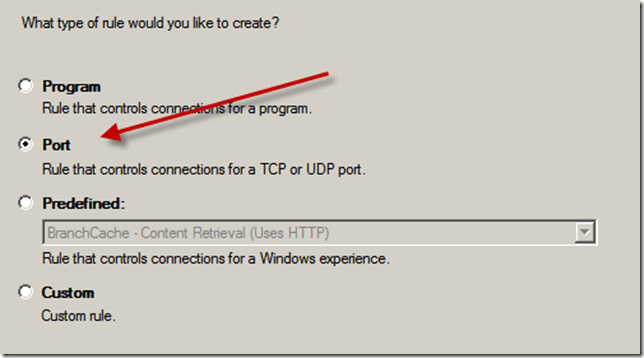
On the new rule page, choose the type of rule you would like to create, Since it is FTP i want to block i choose a port rule. Click Next.
23-01-2011 20-01-45

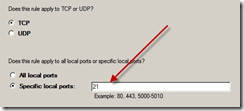
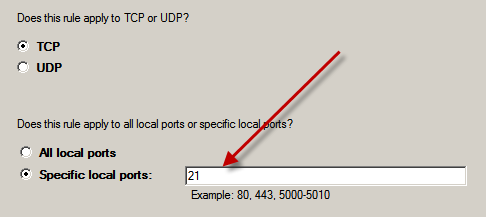
I want to use TCP and specify port 21. Click Next.
23-01-2011 20-01-56

23-01-2011 20-02-10

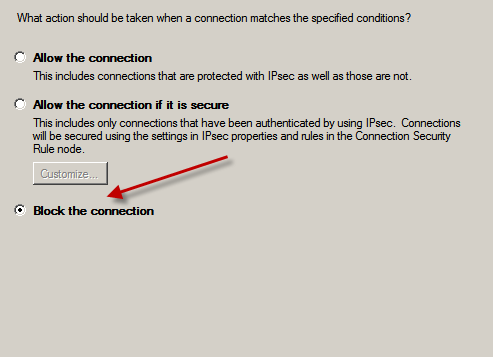
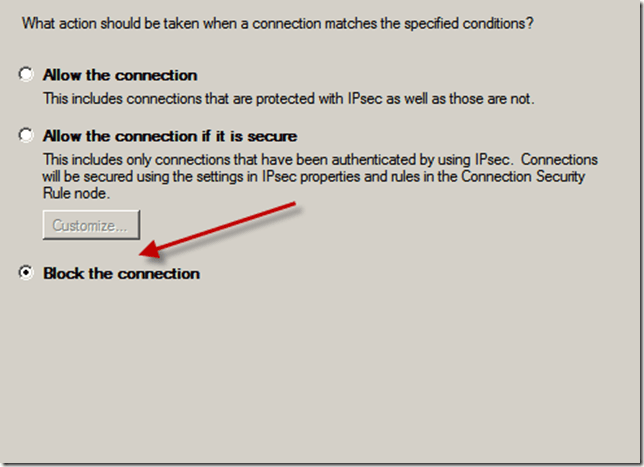
I want to Block the connection. Click Next.
23-01-2011 20-02-15

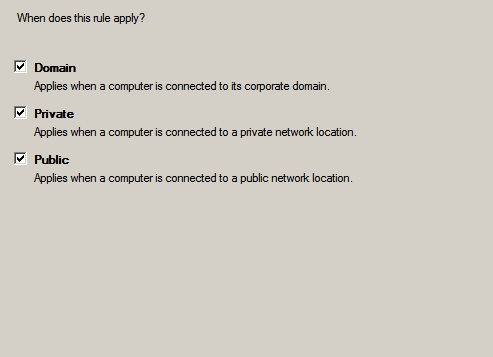
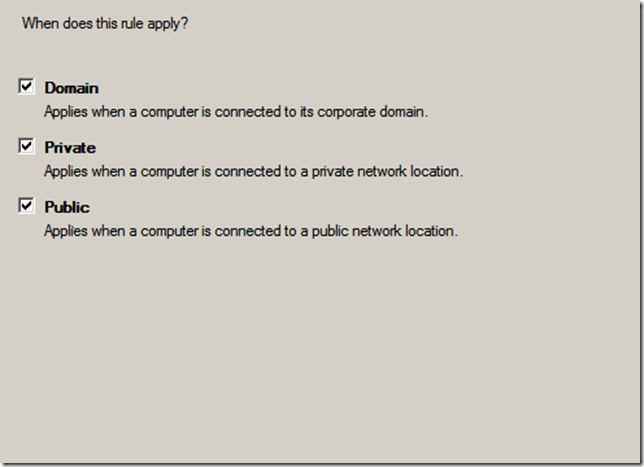
I want this to apply to all profiles, Click Next.
23-01-2011 20-02-18

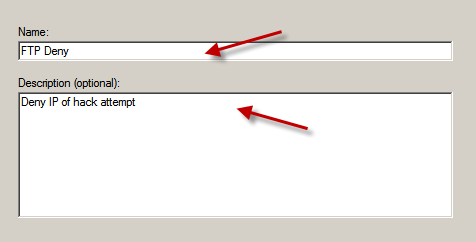
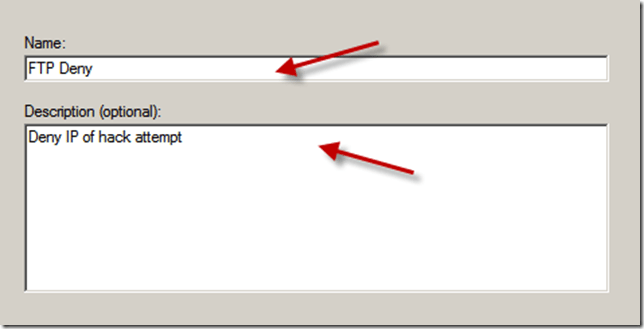
Enter a Name for the rule, and if you want to, a Description (it might help others identify why the rule was created)
23-01-2011 20-02-41

Click Finish when you’re happy with the naming.

You will now see your rule is top of the list. But wait, if we leave things as they are ALL FTP connections will be denied.. We need to be more specific.

23-01-2011 20-02-55

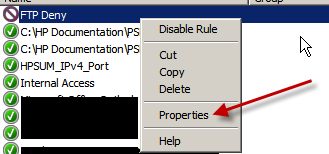
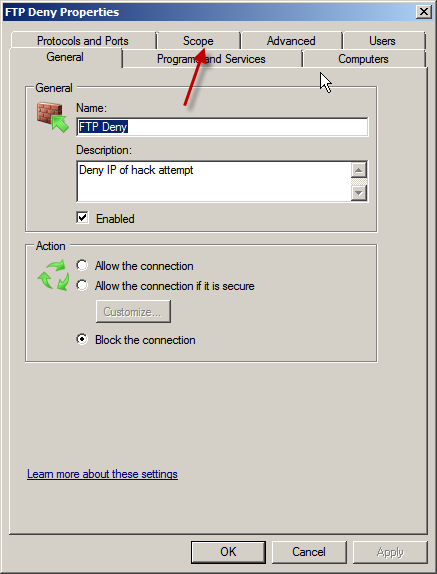
Right click your new rule, and click Properties.

23-01-2011 20-03-10

Go to the Scope tab.

23-01-2011 20-03-18

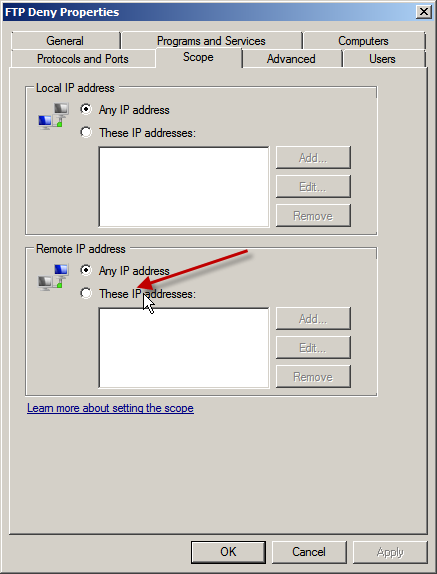
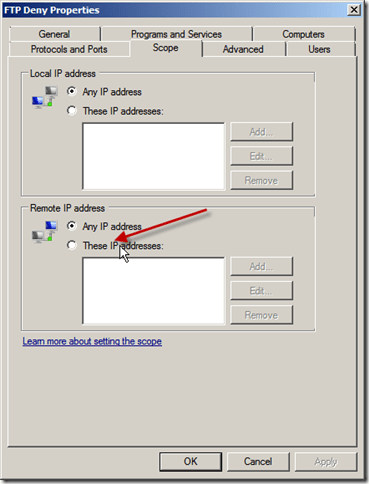
Under ‘Remote IP Address ’ Click ‘These IP Addresses’
23-01-2011 20-03-24

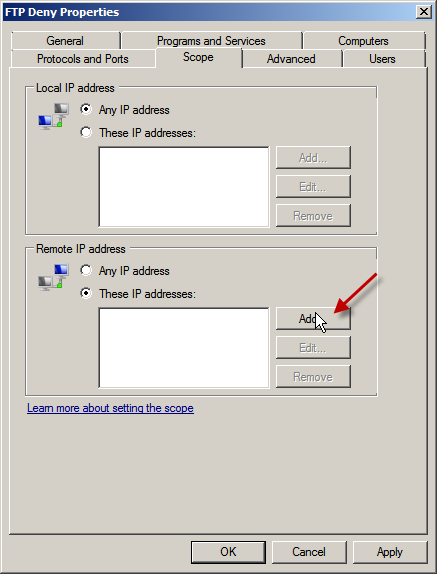
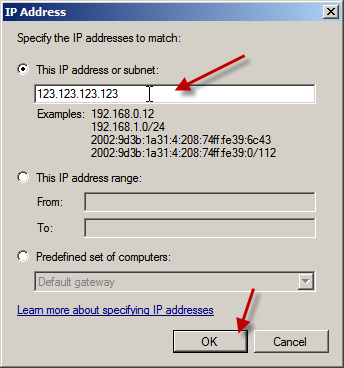
Click Add. Enter the IP address you would like to block, or alternatively an entire range. (If you find out which ISP an IP Address belongs to you can block their entire IP allocation, this may be useful if your attacker is on a dynamic IP)

23-01-2011 20-03-29

23-01-2011 20-03-40

Click OK when you’re done, and click OK to confirm.

You will need to monitor the security log to ensure no more attacks take place, but you can be pleased that it will be a great deal harder for this guy to attempt to logon to your services again!

IT Security – For Dummies

Trend Micro have released a free eBook for download – get your copy here:
http://uk.trendmicro.com/uk/dummies/?id=home

Quick Fix : Trying to remove Trend Micro AV from a New Dell machine?

Hey,

Quick post – I just ran accross this issue on a clients laptop – they had a new dell vostro that came preinstalled with Trend’s CSM Agent. They wanted to remove this in favour of their preferred AV Client.

Whats this? I need a password to uninstall? Ok call to Dell then… No i dont have time for that, quick google search turns up this link:

http://esupport.trendmicro.com/Pages/Unable-to-uninstall-the-Client-Server-Security-Agent-for-Dell-because-it-is-prompting-for-a-password.aspx

It’s quite a simple fix, add an additional registry key that allows for removal without a password.

I have made them into .reg (zipped) files for ease of use if you dont want to edit your registry, just download the file, unzip and execute. Then try to uninstall again.

Bingo.

x86 (32bit)

x64 (64bit)

iPhone Configuration for the SBS Administrator Part 2

I will assume you have uploaded the mobileconfig file using your favourite FTP Client, now we can switch to our iPhone.

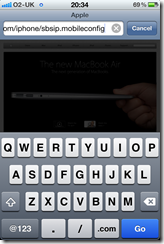
Open up Safari and navigate to your file.

If you receive an error about the profile not being able to be installed – check your navigating to the correct link.

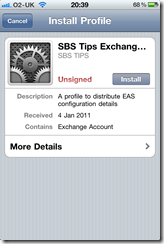
You will be presented with a screen detailing what the profile is for, and there is an option to click on to Install.

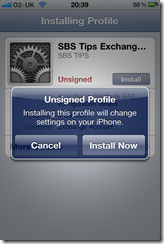
If you click install, you get a message appear on the screen about installing an unsigned profile, and a notification to say it will change settings on the phone. You have the choice to install or cancel.

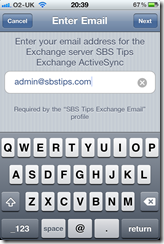
Clicking Install Now, will start the wizard based installation. Enter your email address, and click Next.

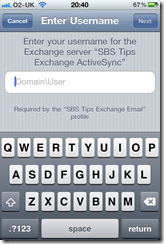
Enter your username, including your internal domain name in the format domain\username and click next.

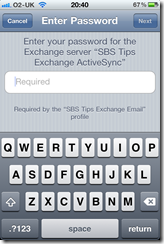
Enter your password, and click next.

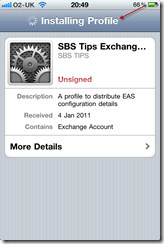
You will see the phone is installing your profile

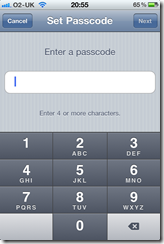
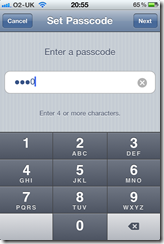
Depending on your Exchange server security settings, you may have to enable a PIN code on your phone, now is the time you will be prompted to enter a code. This PIN will be used to lock your phone after periods of inactivity – like any normal PIN used on a phone.

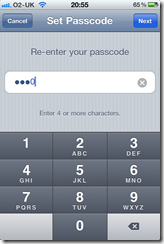
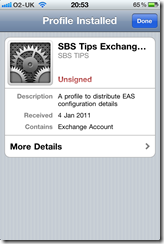
You will be asked to confirm your code, and then you will be shown a screen that says the profile has been installed.

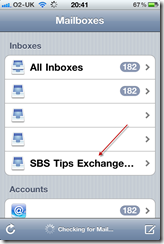
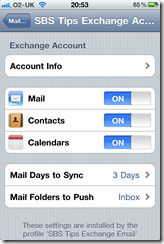
If you then close Safari and go to Settings, Mail, Contacts and Calendars, you will see your Exchange account listed, like any other would be and from here you can see which options have been configured by your profile.

So that concludes the process of using the iPhone configuration utility to help configure your iPhones.

* So now that you have followed this through you might be wondering why this is any easier than talking a user through this process? My idea for this process is for an IT Consultant to have a folder per client on his or her website, imagine :

http://www.someconsultancy.com/iPhones/clienta/iphone.mobil…

http://www.someconsultancy.com/iPhones/clientb/iphone.mobil…

So you client calls you up and says, “hey i have a new iPhone, and i need my email” or hopefully ahead of time they let you know they have an iPhone coming, you can make sure they have the link to their .mobileconfig file either by SMS to their phone,  or email to their client computer where they can copy it down.

I see the benefit here that you may even be able to delegate this off to your onsite contact who doesn’t then need to know all the in’s and outs of configuring the iPhone just that they go to xyz link and follow the wizard.

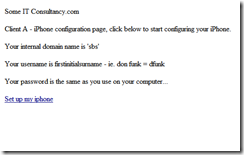
Of course you could have a password protected folder for each customer on a webserver, that has a page with a  hyperlink in it rather than the full URL..